In the section Supplier information, ingenious.V12 provides you a complete overview over the purchasing volume and the invoices received from the supplier.
The period of the analysis can be freely selected and is compressed either monthly or annually.
The button  updates it according to the selected settings.
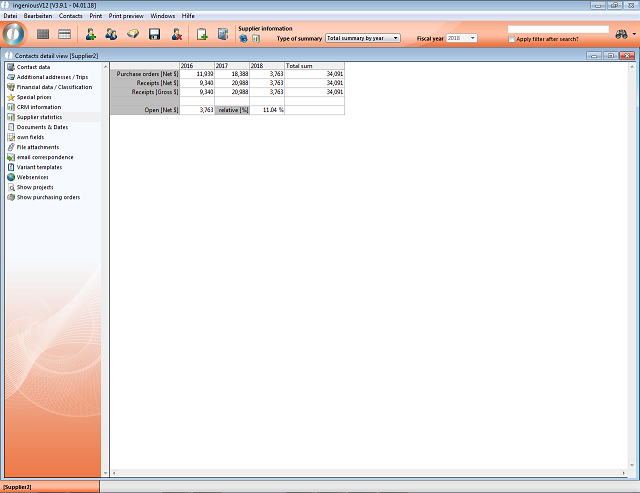
Supplier-Sales-Analysis
With the button  you can switch between a tabular and graphic display.
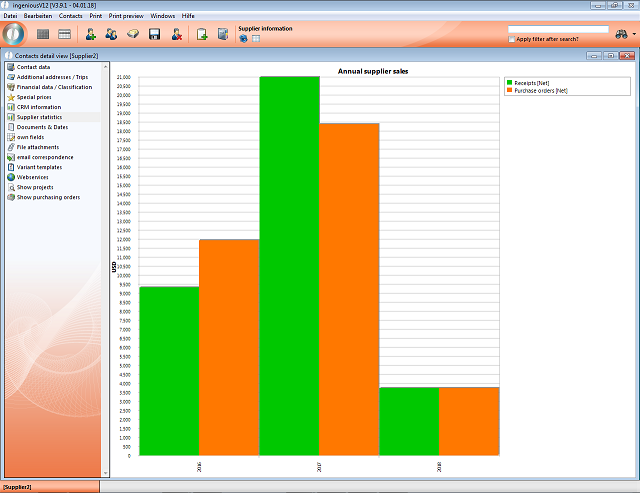
Supplier-Sales-Analysis
Print report „Supplier sales statistics“ Additionally to the analysis per supplier, there is a new print report "Supplier sales statistics" with which all suppliers can be analyzed. These can be displayed in a tabular or graphical way, too.
To use this print report, you must first create a new print report in the program settings. It has to be from type "[1] fixed reports". The API-method "PrintG_KON_Lieferantenstatistik" must be entered as parameter.
Furthermore, the report must be enabled in the report rights per user.
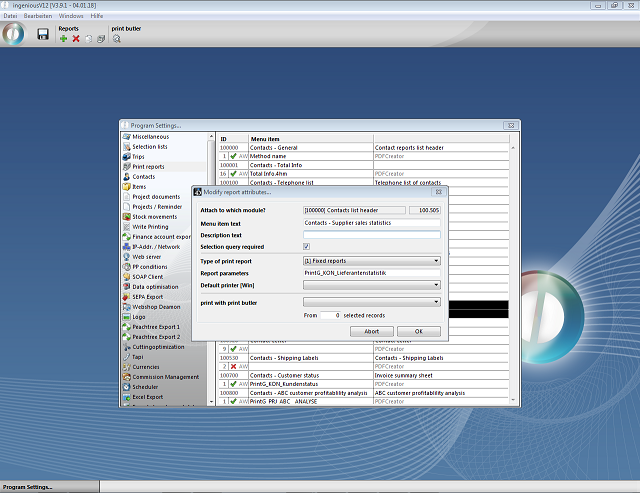
Supplier-Sales-Analysis - Report
When running the print report, settings according to evaluation period, data source, filters and sorting have to be made.
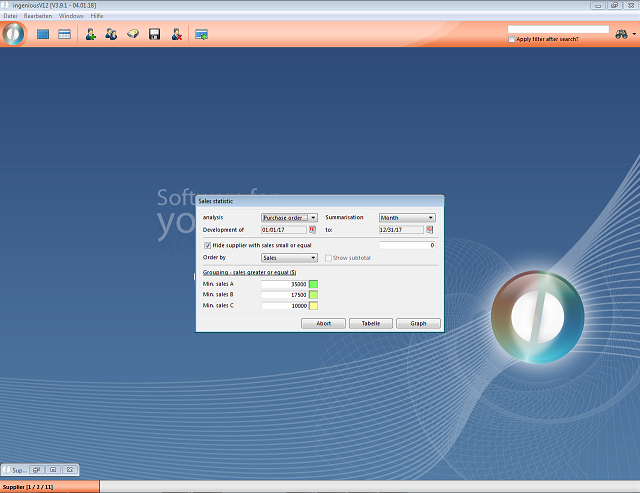
Supplier-Sales-Analysis - Report
After confirmation of the settings, the statistics can be displayed either in tabular or graphical form.
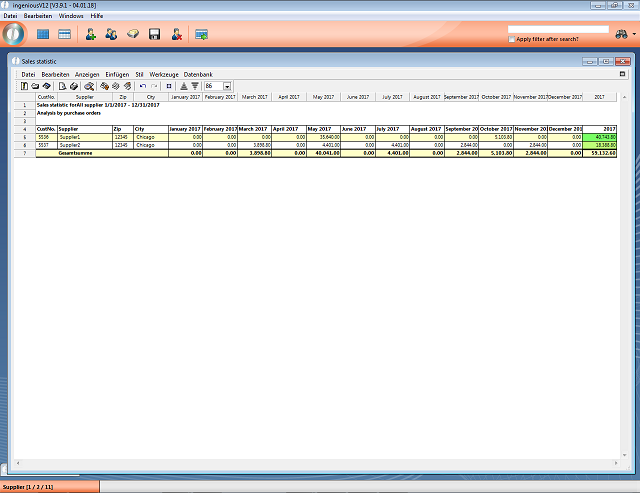
Supplier-Sales-Analysis - Report
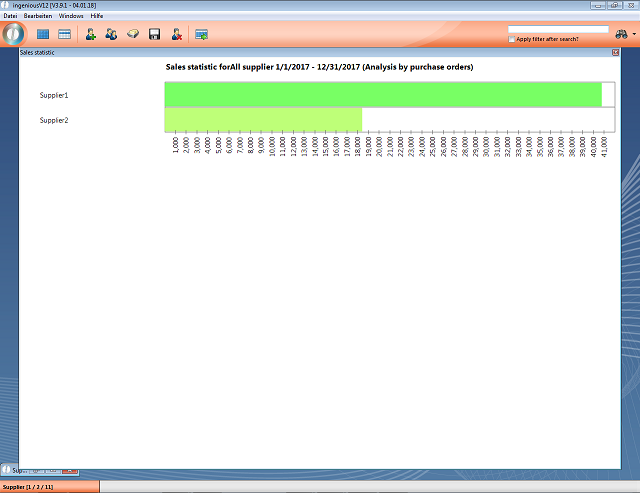
Supplier-Sales-Analysis - Report