Is your data ready for ingenious.basic?
With the new module "Upgrade-Check" (in the main menu under Miscellaneous) we provide you with a tool with which you can easily determine the extent of customization of your installation.
Six tabs clearly list the most important customizations:
- Modules and features
- Text templates
- Print reports
- Stored procedures
- Automatic procedures
- Part lists
All objects stored in the database are collected. These are both currently used, but can also be old, no longer used. This will allow you to detect even data corpses and clean them up as part of a general maintenance or as part of upgrading your installation to ingenious.basic.
For each group, the individual entries can be accepted or excluded. Apply means in the sense of the upgrade check that the objects should be transferred to the new ingenious.basic software. For general maintenance, it simply serves to mark important objects that are currently in use. Objects with the cross are no longer needed (in ingenious.basic).
The individual tabs can be gone through step by step and the respective intermediate state can be saved by a button.
Modules & Features
In the modules and features all license-bound ingenious.V12 modules are listed. The modules included in your license are already marked with a green tick and marked for acceptance. You can also exclude individual modules and also select them. You can also save general additional information or notes here, e.g. also comments about modules and features that were developed especially for you.
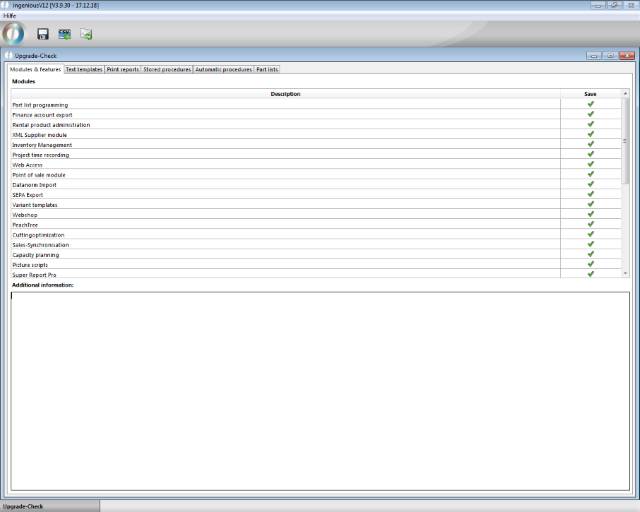
Upgrade-Check Modules & Features
Text templates
The tab Text modules lists all project templates, free texts and document templates of the database. The system modules are not listed, as they are no longer maintained separately in ingenious.basic, but are defined directly on the project templates.
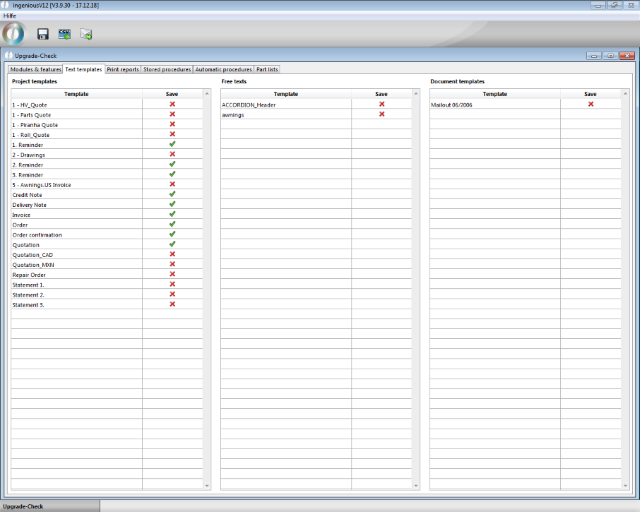
Upgrade-Check text templates
Print reports
The print reports list all the reports stored in the database. This includes own print reports such as labels, super re ports, HMReports, article statistics, simple reports, etc. as well as dedicated reports that are inherently included in ingenious.V12. Flag all of the takeover you are using.
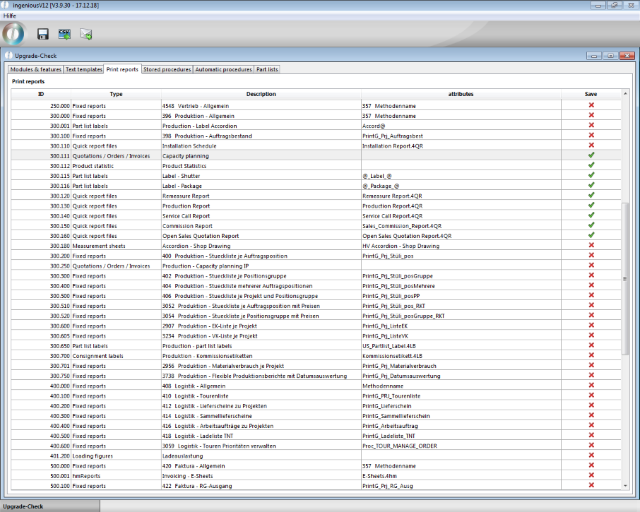
Upgrade-Check print reports
Stored procedures
The stored procedures are separate scripts that e.g. contains special searches, or lists of values for use in part lists or also serves for formattings and text creation on documents. For each script it is marked to which list view it is assigned, as far as that is true.
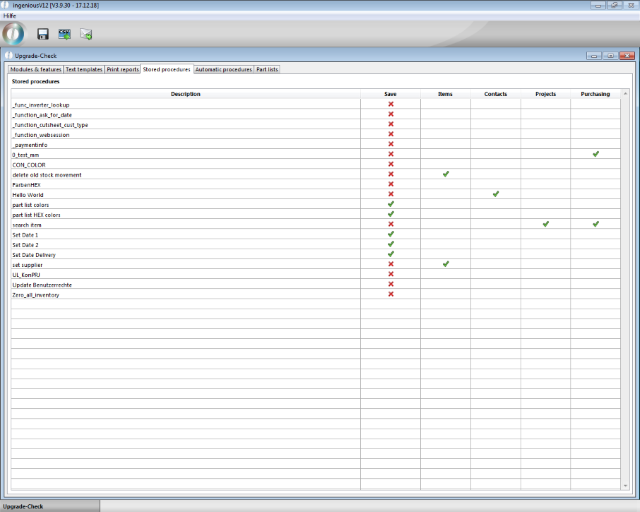
Upgrade-Check stored scripts
Automatic procedures
The automatic procedures are the scripts that are automatically executed with an action, e.g. when opening a contact record. By marking the linked action, it is easy to see which scripts are currently being used.
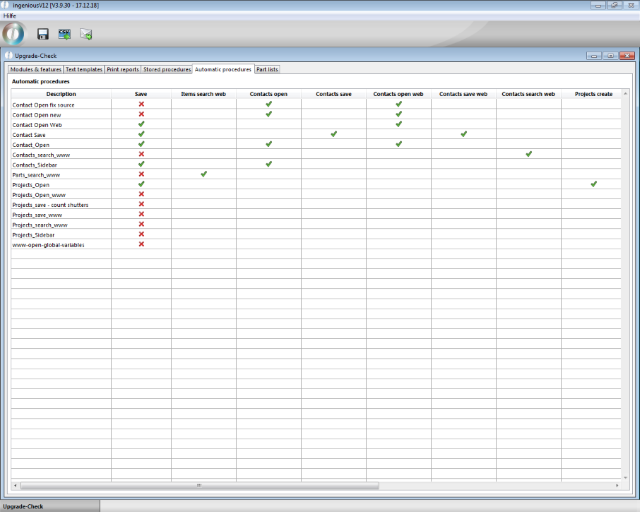
Upgrade-Check automatic scripts
Part lists
The part lists tab lists all items for which service items, measurement data, and / or type attributes have been created. These articles in general are compatible with ingenious.basic and can be continuing used in the new software. However the complex logic within the part lists require a more thorough review of the correct syntax, especially if the part lists were not created by Ingenious or were later modified. Also possibly neccessary smaller adjustments on measurement sheets and picture scripts will be made in this context.
The determined values for the number of lines, measurement sheets and picture scripts reflect the scope of a parts list and at the same time serve to calculate the effort of the upgrade.
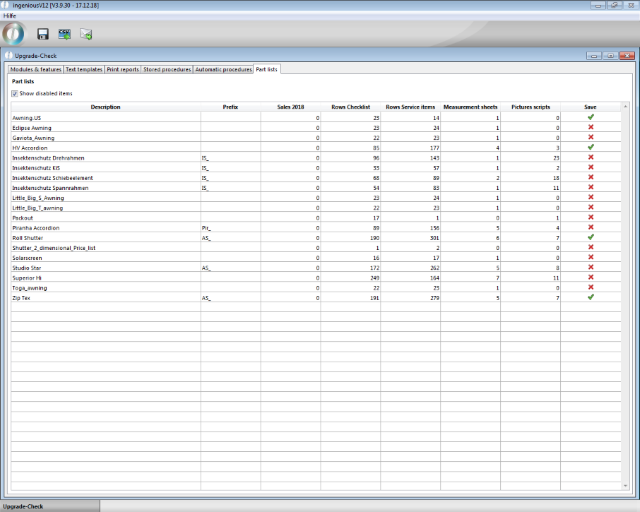
Upgrade-Check part lists
After completion of the sifting of all objects and selection of those to be accepted, this summary can be exported to csv files and / or sent by email to Ingenious.
Store in csv files
By clicking on the button, the storage of the current settings in csv files is initiated. The directory for filing the files is selected via the Windows Save dialog. Since unzipped single files are created, it is recommended to create an extra folder for the files. The files can be archived for documentation during internal maintenance. Or, if the files are used to prepare the ingenious.basic upgrade, they can be sent to Ingenious.
Send the summary by email
If all objects to be transferred have been marked, the summary can be sent directly to Ingenious by email to estimate the upgrade effort. Via the button, a new email is created in the mail client with the csv files as an attachment and can be sent to ingenious with further notes or comments.